How I Vibecoded A SaaS That Works
The real story behind building ChangeLyric with Claude Code—including why AI is terrible at frontend state management, creates wasteful code, and why pure vibecoding is a major headache - but still powerful.

Building a SaaS from scratch without being a "real" developer sounds impossible. The tutorials make it look clean. The reality is messier—and after months of actually doing this, I have some updated thoughts.
I spent months yelling at Claude Code, watching it break things I thought were fixed, create inefficient code that wasted API calls, and structure databases in ways that created headaches months later. But the tool works now. ChangeLyric is live and serving paying customers.
This isn't a unicorn. The customer base is small. Trial cancellation is higher than I'd like. But it works for the people it was designed for. And I've learned a lot about what LLMs can and cannot do—spoiler: they're worse than you'd think.
What I'd Tell Someone Starting Today
Create an iron-clad system architecture BEFORE you start. This is the single most important lesson. Define your database schema, your data flows, your state management approach—all of it—before you let an LLM touch anything. Make it non-negotiable. The AI will fight you on it. Hold the line.
The catch-22: You probably can't create that architecture unless you've either learned development professionally OR vibecoded enough to see how incredibly stupid LLMs can be. There's no shortcut here. Either invest time learning architecture, or accept you'll waste months fixing AI-generated messes.
Start with the backend, not the frontend. Common advice says code frontend first. I originally said AI is better at frontend work—that was wrong. AI is actually worse at frontend because state management across pages is complex. Backend is more straightforward: inputs, processing, outputs.
Prioritize simplicity over best practices. AI struggles with large files. Keep modules small, self-contained, testable. Under 500 lines if possible.
Be honest in your marketing. Overpromising leads to churn. When I made it CRYSTAL clear that ChangeLyric was for experienced producers, the right people signed up.
Every failure teaches you something. AceStep didn't work. Browser automation wasn't reliable. Each dead end narrowed the solution space.
What ChangeLyric Actually Does
ChangeLyric lets you swap lyrics in existing songs while keeping the original vocal tone and melody. You upload audio, edit the words you want to change, and the AI recreates those sections.
The V2 Horizon engine can match melodies, recreate vocal characteristics, and sometimes replicate harmonies.
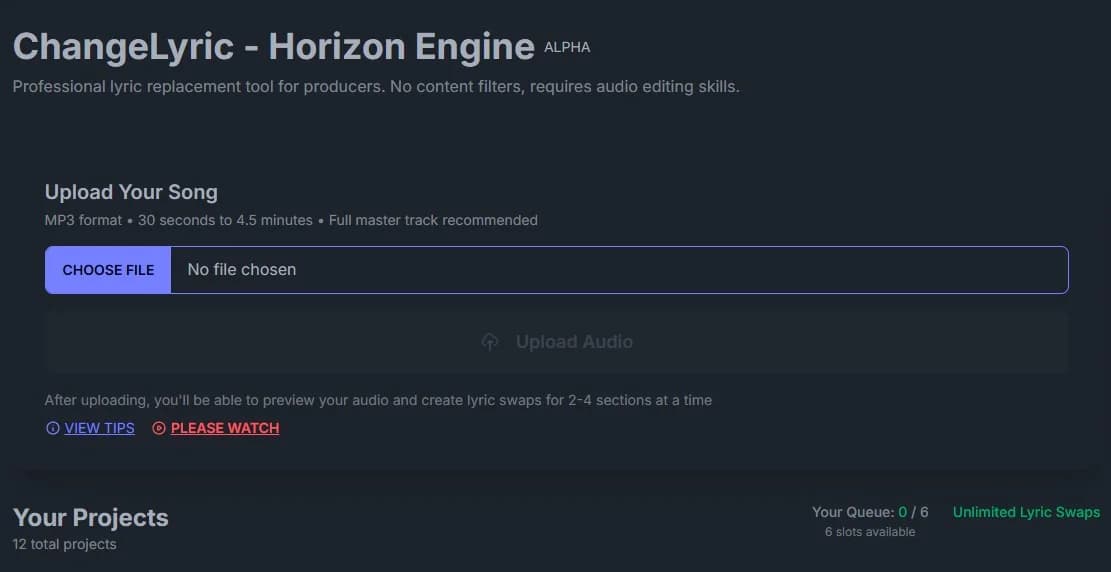
The key phrase is "attempts to recreate." This is generative AI with random seeds and probabilistic outputs. The same inputs can produce different results each time. 🎵
This frustrates people expecting deterministic software. But for producers who understand iteration, it's useful. You generate multiple versions and pick the best one.
The secret sauce: give Horizon 60 to 90 seconds of primer audio. The AI needs context. Don't just give it the snippet you want to change.
Give it the surrounding material so it understands the musical context, vocal style, and energy. Make sure the words in that primer match what you're feeding as new lyrics. This is the difference between garbage and usable output.
Designing for the Right Audience (And Accepting Who It's Not For)
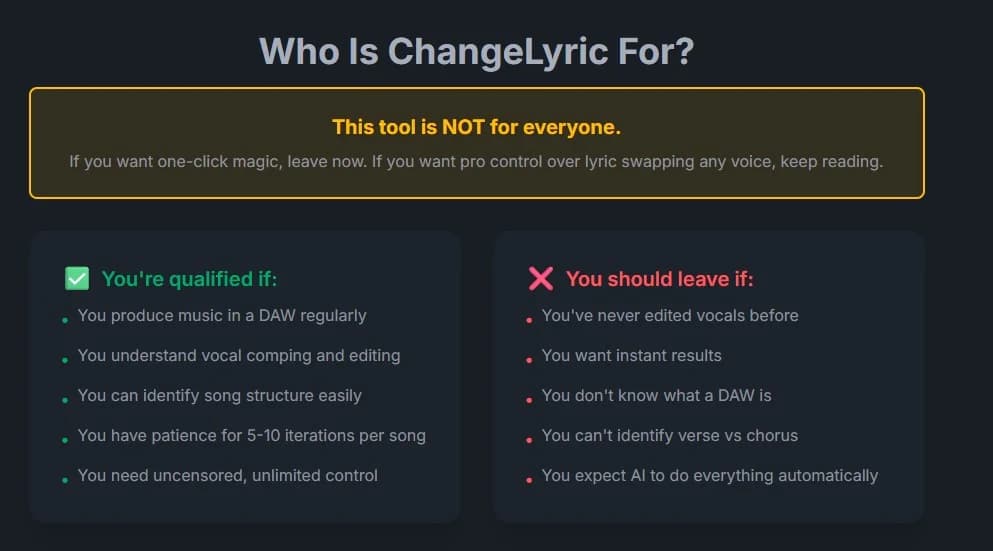
Here's something that took me too long to accept: this tool is NOT for the average person. It's for producers, engineers, people comfortable with a DAW. People who understand raw AI output needs post-processing.
Making that clear in the copy reduced trial cancellation. The people who sign up now have realistic expectations. They know they're getting a power tool, not a magic wand.
The original V1 tried to please everyone. Users would change one word at a time and listen to poor-quality previews. They'd get discouraged and abandon the tool.
The revelation: bulk processing with batch outputs makes more sense. Upload, edit everything, walk away, come back to variations you can comp through. That workflow respects how producers actually work.
Want More Digital Insights?
Subscribe to get more case studies and practical automation techniques delivered to your inbox.
We respect your privacy. Unsubscribe at any time.
Building With Claude Code: The Real Experience
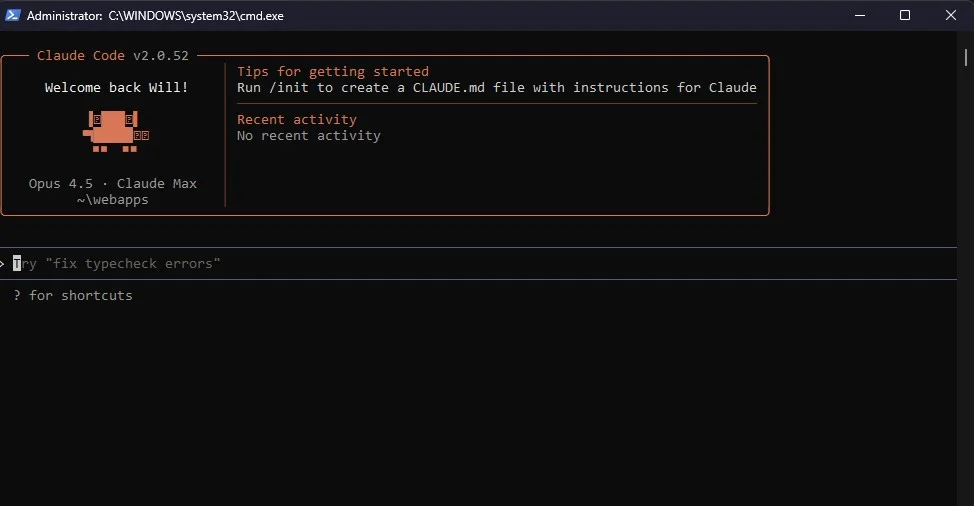
I would not have been able to build this without Claude Code. Full stop. If I had to learn every dependency and deployment config from scratch, it would have taken 10x longer.
But here's what nobody tells you: Claude Code is pretty much dogshit at frontend work. Yes, for simple things it's fine. But the minute you need to manage state across multiple pages, it falls apart. Status updates, loading states, data synchronization between components—it struggles with all of it.
And the database design? Claude will structure tables with redundant columns, create duplicate data storage, and make mistakes a person with literally no programming experience would catch. Basic logic to reduce waste and inefficiency just doesn't seem to register.
I've found repeatedly that things get programmed in ways that waste API calls, create redundant operations, and ignore simple optimizations. The AI seems incapable of critically analyzing a flow for the simplest, waste-free solution. It just does whatever works first, without considering if it's doing three API calls when one would suffice.
This creates massive downstream work—some of which may not even be fixable with vibecoding alone. You hit walls where you need actual programming knowledge to untangle the mess the AI created.
I've written about this in my article on building GPU-powered AI tools. Claude Code can handle backend processors, API endpoints, data pipelines. But complex frontend state management? Plan to spend a lot of time fixing its mistakes.
Every time Claude failed, I treated it as learning. Why did it break? What context was missing? Having a set schema definition upfront turned out to be incredibly helpful for constraining AI output.
MCP Servers: Letting Claude Touch the Database
One workflow accelerator: MCP servers. I used the Supabase MCP to let Claude directly modify database tables. Context7 gave Claude access to up-to-date documentation for tons of libraries, so it wasn't coding against outdated APIs.
Sounds scary. An LLM with write access to your database? But here's the thing: before you have important production data, the risk is low. I never had Claude do anything destructive. No deleted tables. No nuked records.
That said, for production databases with real customer data, make it read-only access. Let Claude query and understand the schema, but keep the write operations manual. During early development though? Full access saved hours of back-and-forth.
The Hardest Problem: State Management for Job Queues
The biggest challenge Claude struggled with was queue management logic. Processing lyric swaps involves multiple async operations: upload, analyze, GPU processing, storage. Jobs can fail partway through. And the frontend needs to reflect all these states accurately across multiple pages.
This is where vibecoding truly breaks down. Claude would create solutions that technically worked but were wildly inefficient—polling the database every second when a webhook would do, storing the same status in three different places, creating race conditions that only appeared in production.
I ended up using cron jobs. Is this the best approach for production at scale? Honestly, I'm not sure. Redis or RabbitMQ might be more elegant.
But cron jobs work. They check the database periodically, pick up jobs, handle state transitions. Simple enough that I can debug when things break. And things do break.
# The simplified job state flow
uploading → analyzing → extending → completed
                     ↓
                   failed (with error_message)

# Cron checks every minute for jobs stuck in processing
# If a job has been "extending" for > 5 minutes, mark it failed
# Let the user retry if they want
The lesson: simplicity beats elegance for MVPs. I could spend weeks on "correct" distributed queue architecture. Or ship something that works. Users don't care about infrastructure. They care if the tool works.
Similar challenges came up in my earlier automation work. The answer there was also "keep it simple." Airtable and Make.com, not custom enterprise solutions.
What I Tried First: AceStep and Other Dead Ends

Before Horizon, I tried approaches that didn't work. AceStep was first. It's an open-source model that technically does lyric editing. The problem? Sounds like garbage for most songs.
Even with optimized parameters. Even after building custom tournament scripts. The output quality wasn't there.
I tried fine-tuning on specific songs. The logic: if the song was in training data, maybe performance improves. Turns out the editing pipeline is fundamentally different from training. Hours of experimentation, no usable results.
Then browser automation. I built a Playwright script to interact with Udio programmatically. It worked locally. But deploying as a service? Nightmare. UI changes broke things. Network delays caused failures.
Not all wasted though. The logic informed my current pipeline. The transcript diff editor is still part of the tool. Every dead end teaches something.
The Golden Rule: Test Locally Before Building Into Production
ALWAYS test theories locally first. This advice would have saved me weeks. Don't build a feature into your webapp until you're certain it works.
Spin up a local script. Test core functionality in isolation. Prove the approach is sound before integrating into production.
The counterargument: local testing doesn't replicate production conditions. Fair point for GPU processing. The middle ground: use Modal for testing modules directly on production hardware.
Modal changed how I prototype. Deploy small test functions directly and experiment there. Yes, you pay for GPU compute. But you get true production performance immediately.
# Modal function for isolated testing
@app.function(gpu="A10G", timeout=120)
def test_vocal_separation(audio_data: bytes) -> Dict:
    # Test just this one piece in isolation
    # Prove it works before integrating
    ...
Another big learning: make backend parameters adjustable from the frontend or database. If changing a setting requires rebuilding your backend image, you'll waste hours on iteration cycles.
Pass parameters dynamically. Store configuration in your database. Hard-code only things that truly never change.
Where ChangeLyric Stands Today

Let me be honest. The customer base is small. Trial cancellation is high. Many sign up hoping for something the tool isn't. 😅
They want perfect results with zero effort. They want the AI to match every nuance perfectly. The technology isn't there yet.
But for people who understand what they're getting, it delivers value. Producers processing bulk lyric changes save significant time. For first passes on projects, it's become my go-to tool.
The harmonizer feature needs improvement. It renders fixed intervals, so producers need to do re-pitching work. Good enough to be useful, not effortless.
This mirrors what I found in my data analysis work with Claude Code. AI amplifies what you can do, but doesn't replace expertise. The tool handles tedious parts. The human handles judgment calls.
Check Out My Content Creation Tools
I build tools that solve real content creation problems. From AI-assisted blogging to custom song lyrics, many have free trials so you can see the results firsthand.
Explore My Tools →The Roadmap: Waiting for Better Inpainting APIs
My plan is to let the tool ride until better inpainting APIs become available. Right now, the best results come from tools like Udio that don't have official APIs. That limits automation.
When those capabilities become programmatically accessible, ChangeLyric will be positioned to integrate them immediately.
The architecture is modular by design. Swapping out the generation engine doesn't require rebuilding the frontend. When a better model appears, I deploy it as a new Modal function. The AI music space moves fast.
For polyphonic vocals, Horizon handles them reasonably well when prompted correctly. The key is giving enough context and including harmonies in your primer audio.
For edge cases, ChangeLyric has a separate standalone vocal splitter. Users can process isolated parts through Horizon individually and reassemble in their DAW. More tedious, but it's there as a fallback.
Optimization opportunities remain. Detecting repeated audio in songs could save processing power. Choruses often reuse the same vocal take. That's a v3 problem.
It's Possible, But Pure Vibecoding Is a Headache
ChangeLyric isn't a polished unicorn startup story. It's a functional tool with a niche audience, built by someone who wasn't a developer a few years ago. The revenue is modest. Customer acquisition is slow.
But it EXISTS. It works. People pay for it. I learned more building this than any course or tutorial taught me.
Here's the honest truth about vibecoding: yes, you can build working apps this way. But going pure vibecoding is going to be a major headache. You'll waste time on AI-generated inefficiencies. You'll hit walls where the AI created problems only a real developer can fix. You'll discover redundant database columns months later.
The solution is designing an iron-clad system architecture upfront that's non-negotiable. But you won't be able to do this unless you've either learned development professionally or vibecoded enough to see how stupid LLMs really can be.
If you're thinking about building something similar: expect it to be harder than it looks. Expect dead ends. Expect to yell at your AI assistant when it makes the same dumb mistake for the third time. But if you keep iterating—and you learn from the AI's mistakes—you'll build something that works. Sometimes that's enough.
Check Out My Content Creation Tools
I build tools that solve real content creation problems. From AI-assisted blogging to custom song lyrics, many have free trials so you can see the results firsthand.
Explore My Tools →